Coding turns ideas into working things
A learner can start with a blank page, write a few lines, and make text, buttons, forms, games, and small apps respond on screen. That shift from using technology to creating it builds real confidence.
Why these skills matter
The point is not to memorise tags or chase a trend. The point is to learn how digital products are made: structure the idea, design the experience, add behaviour, test the result, and keep improving it.
Live project
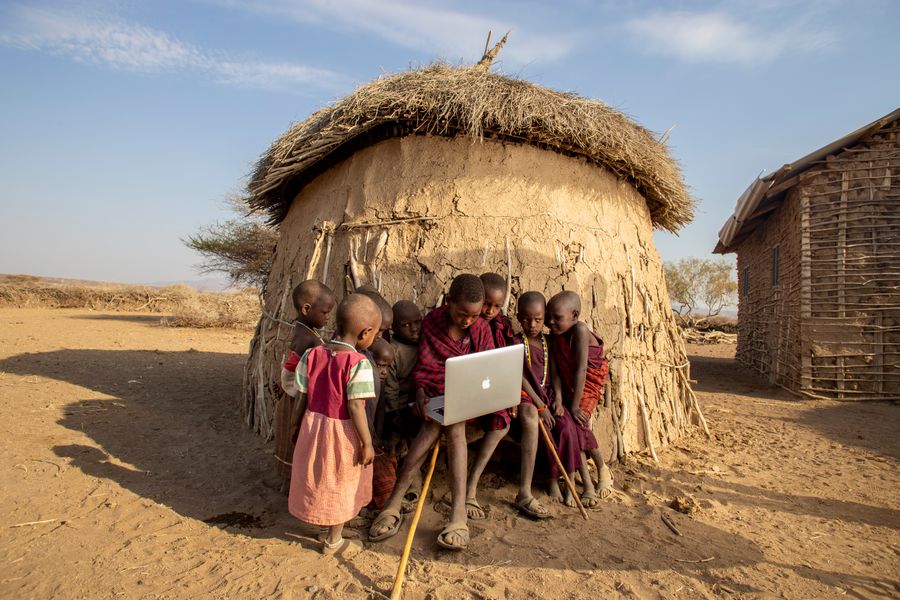
Beyond computer class
A learner can start with a blank page, write a few lines, and make text, buttons, forms, games, and small apps respond on screen. That shift from using technology to creating it builds real confidence.
HTML, CSS, JavaScript, and Svelte are not only for future software developers. They support design, business, data, engineering, media, education, and almost every workplace that uses digital tools.
Code rarely works perfectly the first time. Learners practise reading errors, breaking problems into smaller parts, testing changes, and improving a project step by step.
Finished projects show more than a test mark. A learner can point to a page, game, app, or showcase piece and explain what they built, changed, fixed, and learned.
Natural progression
Each stage gives learners a stronger mental model. They do not need to know everything before they build. They need the next useful idea at the right time.
HTML structure, links, images, headings, lists, and forms
Learners understand that a web page has meaning and structure before it has decoration.
CSS colors, spacing, boxes, layout, responsive design, and accessibility
Learners turn plain content into pages that look clear, work on phones, and respect real users.
JavaScript variables, events, conditions, functions, arrays, objects, and browser storage
Learners make buttons do things, store information, check answers, count scores, and react to input.
Components, state, props, routing, forms, data loading, debugging, and project workflow
Learners move from one-file exercises into maintainable apps that can grow over time.
What learners can build
A beginner project should feel achievable. A later project should feel useful, personal, and worth showing. The same foundation supports both.
Profile pages, club pages, event pages, menus, image galleries, and simple information sites.
Quiz apps, calculators, flashcards, checklists, timers, note apps, and study helpers.
Clicker games, number games, memory match, animations, drawing experiments, and story projects.
Dashboards, forms, saved projects, data-driven pages, feedback flows, and SvelteKit capstone apps.
The deeper lesson
The habits matter as much as the syntax. Learners practise patience, precision, communication, and courage every time they debug a broken screen or improve a rough first version.
Ready for the first step?